As an Amazon Associate, we earn from qualifying purchases. Some links on this site are affiliate links at no extra cost to you. Our recommendations are based on thorough research and editorial judgment.

How to Choose a Travel Power Strip Safely

Choose a travel power strip by checking the devices you will connect, the destination’s outlet and voltage system, the strip’s ratings, USB output, protection features, size, and the rules for your airline and accommodation. A power strip adds outlets; it is not automatically a plug adapter, voltage converter, or guarantee against unsafe wiring. Use the exact product label and local guidance before plugging in expensive or high-load equipment.
Key Takeaways
- List the devices, plugs, voltage, current, and total load you expect to use.
- Confirm the strip’s outlet format and whether you also need a destination plug adapter or converter.
- Compare USB-C and USB-A output by port, total output, charging protocol, and compatibility.
- Look for credible safety information, intact insulation, overload protection, and a suitable cord.
- Check airline, hotel, local electrical, warranty, and return requirements before travel.
Understanding Your Power Needs
You may be interested



Read the rating label on each device and charger, then compare the strip’s voltage, current, wattage, and plug requirements. Do not assume that a USB port can power a laptop or that a strip rated for one country works safely in another. A strip does not convert voltage unless the product explicitly says so, and many appliances require a dedicated converter or are unsuitable abroad. If the label is unclear, ask the manufacturer or a qualified electrician.
Importance of Compact Design
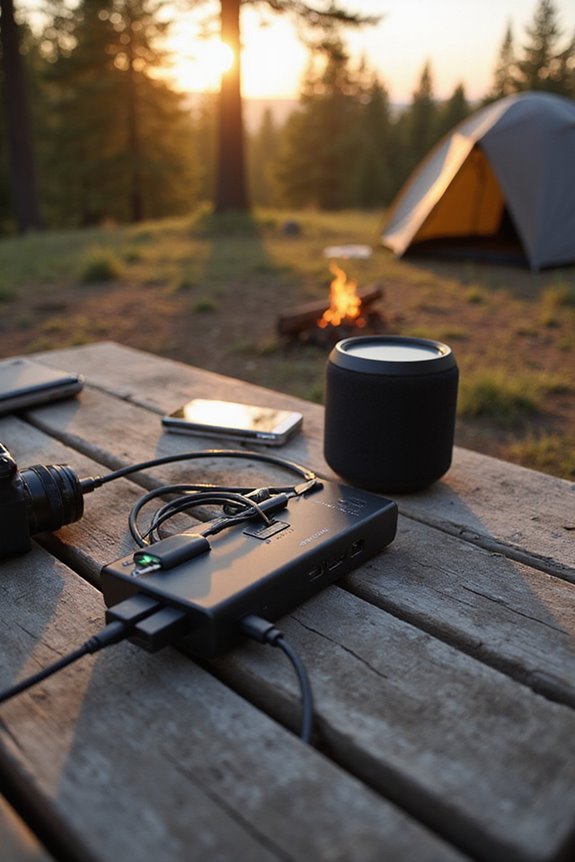
Compare the packed size with the number and spacing of outlets, cord length, plug shape, and the charger blocks you will connect. A compact strip is useful only if large adapters do not block neighboring sockets or make the unit unstable. Check whether it can sit safely on a hard surface and whether the design leaves ventilation around warm chargers.
Evaluating USB Charging Options

USB-C and USB-A are connector families, not a guarantee of charging speed. Compare the output per port, shared total output, supported protocols, cable requirements, and device compatibility. A USB-C port may support power delivery, but only when the charger, cable, and device negotiate it correctly. Keep a separate charger or backup plan for critical equipment.
Recommended Products

Full-Speed 67W Charging: Fully charge your MacBook Pro 13" in just 1 hour and 54 minutes with an impressive 67W power output, thanks to advanced Programmable Power Supply (PPS) and Power Delivery (PD) technology.

8 In 1 European Adapter: Equipped with 3 AC outlets, 4 USB port (5V/2.4A each) & USB-C port (5V/3A max). Allow simultaneous multi-device charging. And With smart charging technology, it can auto-detects your connected devices for faster charging efficiency. Perfect for cell phone, camera, laptop, kindle, lamps, and so on.

Portable Travel Design: The ORICO blue portable power strip weighs only 9.98 ounces and has a mini size of 4.33*2.5*1.6 inches, designed for business travelers. It easy to pack in your luggage, ensuring you have easy access to power in various settings, so you can charge your devices anytime, anywhere
Safety Features to Look For

Look for clear electrical ratings, credible conformity or safety information for the destination, overload or reset protection where appropriate, strain relief, intact insulation, and a secure plug. Surge protection can help with certain transient events but is not a substitute for safe wiring or a voltage converter. Never daisy-chain power strips, cover ventilation openings, use a damaged cord, or operate the unit near water.
Recommended Products

MULTI-OUTLET SURGE PROTECTOR: Power everything on your desk with a single compact multi outlet extension cord; 12 AC outlets with surge protection charge your computer, laptop, phone, camera, etc.

MULTI-PLUG WALL OUTLET EXTENDER: Portable travel surge protector features 3 outlets and a 660 Joule rating at less than 1 nanosecond response time. Diagnostic LEDs green "Protected" and red "Grounded" LED illuminates to show device is operating.

★ Multi Function Power Strip:Power strip surge protector with 10AC outlets & 4 USB charging ports, 6-foot Heavy Duty power extension cord(1875W/15A), surge protector (2700 Joules)with overload protection protects against spikes and fluctuations.Wide range voltage design, can be used on 120v to 240v circuit
Versatility for International Travel

While exploring the globe, travelers often find themselves juggling multiple devices, from smartphones to laptops, each with its own charging needs. To navigate this digital chaos, a versatile travel power strip becomes essential. Look for models boasting plug compatibility with various outlet types, ensuring no device is left behind. A power strip featuring multiple AC sockets and USB ports provides outlet versatility, allowing several devices to charge simultaneously. Imagine breezing through an airport café, powering your phone, tablet, and laptop all at once—no juggling required! Compact designs with universal voltage eliminate bulky converters, making travel a breeze. With the right power strip, charging becomes one less thing to worry about, letting adventurers focus on making memories instead.
Recommended Products

10-in-1 European Power Adapter: All-in-one power strip provides 6 widely spaced outlets, 2 USB-A ports, and 2 USB-C ports, charging 10 devices simultaneously.

European Travel Plug Adapter - Travel Essential: US to Europe plug adapter is compatible with Most of European Countries such as France, Germany, Spain, Greece, Turkey, Iceland, Denmark, Finland, Belgium, Netherlands. Plugs into EU, UK, and US style outlets used in Europe and hundreds of countries on different continents

✈1. 【3000W High Power & 6.6ft Extension Cord】 - 3000w european plug adapter is very suitable for refrigerators, TVs, washing machines and other high-powered appliances; 6.6ft power cord made of thick copper wire to ensure heat dissipation capability and high conductivity, which not only can safely and quickly charge charging devices, but also can save power to a great extent.
Assessing Durability and Build Quality
Inspect the housing, cord, plug, switches, outlet covers, strain relief, and mounting or travel features. A robust-looking case does not prove electrical safety, and a light case is not automatically weak. Look for a clear manual, model identification, warranty, and support contact. Replace the strip if it is cracked, scorched, loose, wet, buzzing, unusually warm, or has a damaged cable.
Recommended Products

【12 IN 1 Power Strip & 2.2 IN Wide Space】- 3-side design power strip surge protector with 8AC widely outlets and 4 USB (2 USB C) charging ports can power up to 12 devices simultaneously. That makes it easier to make the plugs not covering any outlet, and the 2.2 inchces widely spced in between outlets, larger than standard socket, fit big adapters without blocking each other. The compact design saves more space, suitable for the home, office, and college dorm room essentials

Portable Travel Design: The ORICO purple portable power strip weighs only 9.98 ounces and has a mini size of 4.33*2.5*1.6 inches, designed for business travelers. It easy to pack in your luggage, ensuring you have easy access to power in various settings, so you can charge your devices anytime, anywhere

【Power Strip with 8AC outlets & 4 USB】- Power bars with surge protector with 8AC outlets & 4 USB charging ports (1 USB C Outlet), 6 Feet Heavy Duty extension cord, surge protector(2700 Joules) with overload protection protects against spikes and fluctuations.
Brands and Models to Consider
Compare the exact model rather than relying on a brand name or an old product list. Verify outlet layout, electrical ratings, USB output, protection claims, regional plug, certification or conformity information, warranty, recalls, and return terms. Recent reviews can reveal recurring heat, socket, or cable problems, but the product label and current manufacturer documentation should guide the final decision.
Recommended Products

Space-Saving & Portable Power Strip: ORICO small power strip is smaller than a mobile phone and features a wrap-around design that can fit into any package suitcase, it doesn't take up much space. Here are your best travel essentials! The size of the ORICO power strip is 4.33*2.5*1.6 inches

Worldwide Use: It equipped 5 different sockets for (UK, US, AU, IN, EU); voltage converts 220/240V to 110/120V so you could use American electronics in Antigua & Barbuda, Aruba, Bulgaria, Cambodia, Canada, China, Costa Rica, Dubai, England, Fiji, Germany, Guam, Haiti, Hong Kong, Ireland, Japan, North Korea, South Korea, Malaysia, New Zealand, Peru, Puerto Rico, Singapore, Turkey, United Kingdom and more.

Portable Power Strip: The mini power strip measures 4.33*2.5*1.6 inches, which is smaller than a mobile phone and can be easily put into any package. It is ideal for carrying during business trips and vacations. It can charge all your travel essential devices and allow you to Travel with ease.
Tips for Effective Usage and Storage
Use the strip on a dry, stable, ventilated surface, keep its total load within the label rating, and check plugs and cables before use. Do not cover it with clothing or bedding, place it under a rug, connect it near water, or leave a damaged or overheating unit powered. Unplug it before packing, let it cool, coil the cord without sharp bends, and store it dry.
Frequently Asked Questions
How do I determine the load for my devices?
Read the voltage, current, or wattage on each device and charger, then compare the combined demand with the power strip’s label. Account for the strip’s limits, shared USB output, and any device with a startup surge. Ask the manufacturer or an electrician when the rating is unclear.
Can I use a travel power strip with high-load appliances?
Only when the strip, plug, destination supply, and accommodation are explicitly suitable for that load. Hair dryers, irons, heaters, kettles, and similar appliances can draw substantial power and may need a dedicated outlet or should not be used through a travel strip. Follow the product and local safety instructions.
What is the difference between USB-A and USB-C?
They use different connector designs and can support different charging or data standards. USB-C does not automatically mean faster charging, and USB-A is not automatically slow. Compare the charger’s protocols, output, cable, and device requirements.
Can I pack a travel power strip in carry-on luggage?
Rules can vary by airline, airport, country, and whether the device contains a battery. Check current airline and airport guidance before departure, pack it so the label and cord are accessible, and keep any power bank or battery device separate according to the applicable rules.
How should I clean and maintain a travel power strip?
Unplug it, let it cool, and wipe the exterior with a dry or manufacturer-approved cloth. Never immerse it or spray liquid into sockets. Inspect the housing, switches, outlets, plug, and cord before each trip, and replace the unit if it shows heat, moisture, arcing, looseness, or damage.